 Recora Screen
01 / LOCAL WORKSPACE
Your recordings have a home.
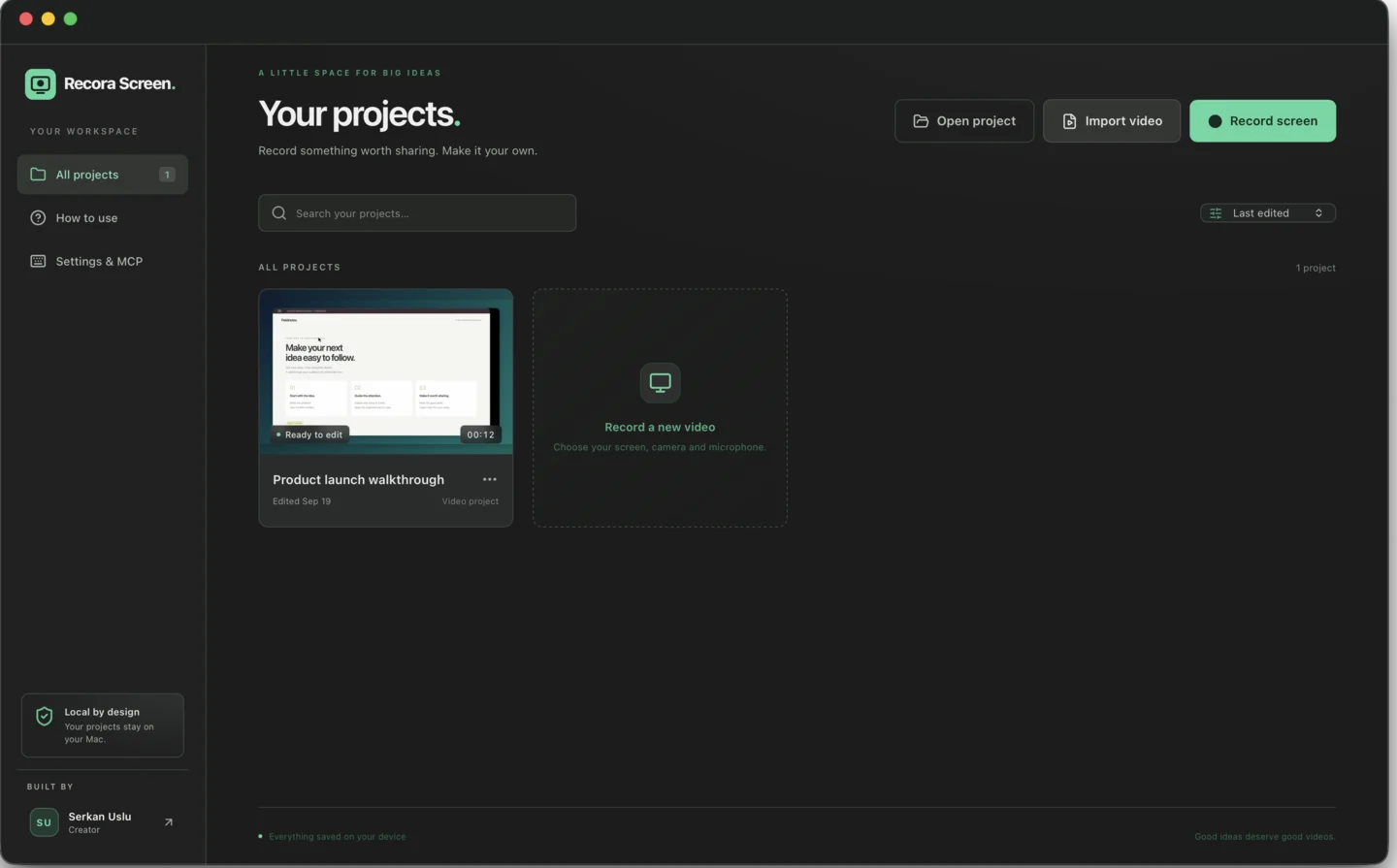
Record or import, reopen any project, and carry the whole project folder with you. No account is required to organize or edit your work.
OPEN-SOURCE SCREEN RECORDER FOR MACOS
 Codex
Codex ClaudeWORKS WITH CLAUDE & CODEX · MCPDirect the whole studio.Create projects, edit timelines and export by asking.
The open-source screen recorder you can control with Claude and Codex.
Record your screen, camera and audio, or import a video and start shaping it.
Automatic zooms follow the action. Every zoom, layer and camera moment stays editable. Connect Claude or Codex through MCP, transcribe locally, then export up to 4K.
Apple silicon · macOS 15+ · Local projects · MIT licensed
No upload before you can edit.
No account between you and your next idea.
THE PRODUCT, TODAY
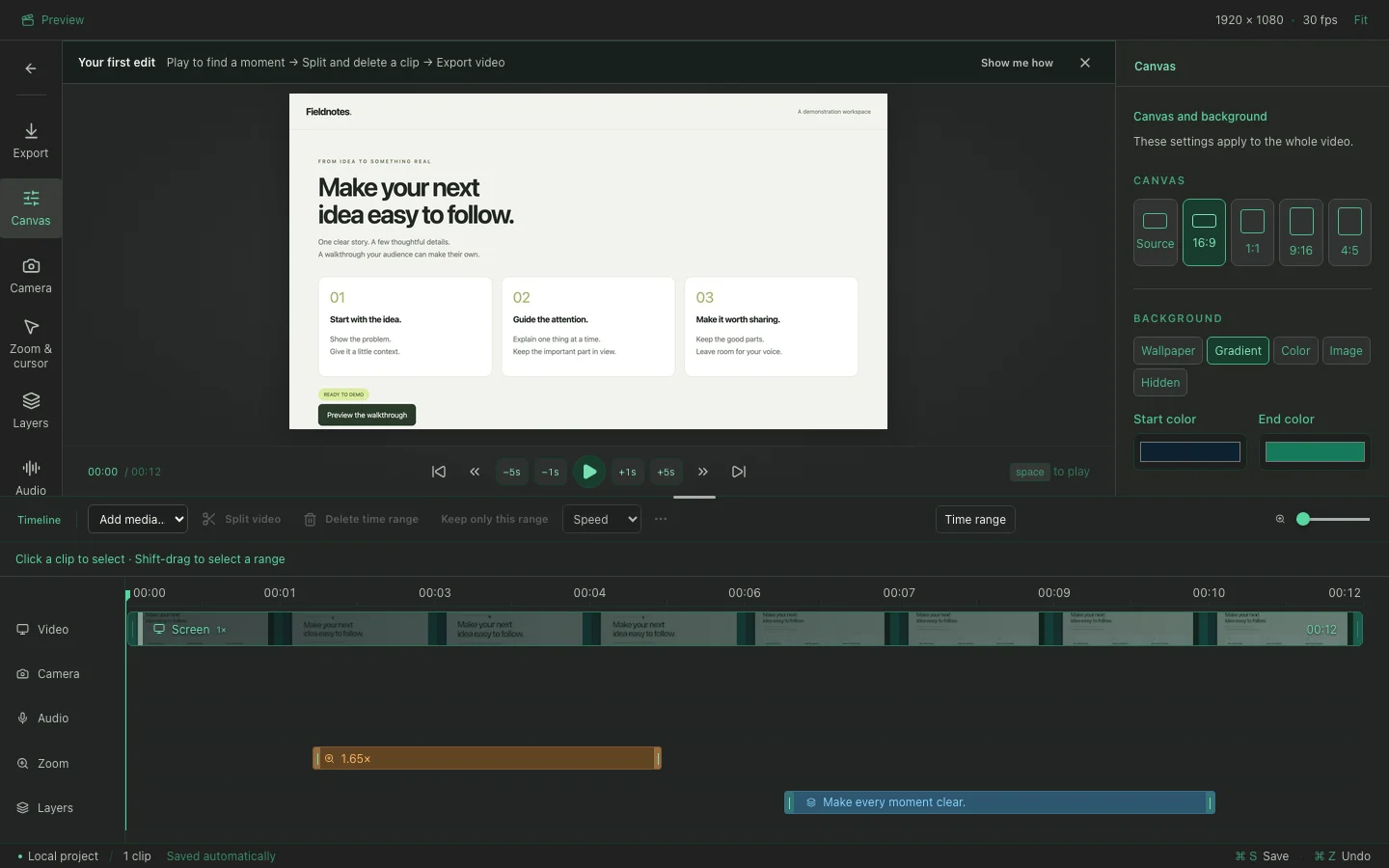
Start in a local project library, make precise changes on a visual timeline, and keep every effect available for another pass.
Record or import, reopen any project, and carry the whole project folder with you. No account is required to organize or edit your work.
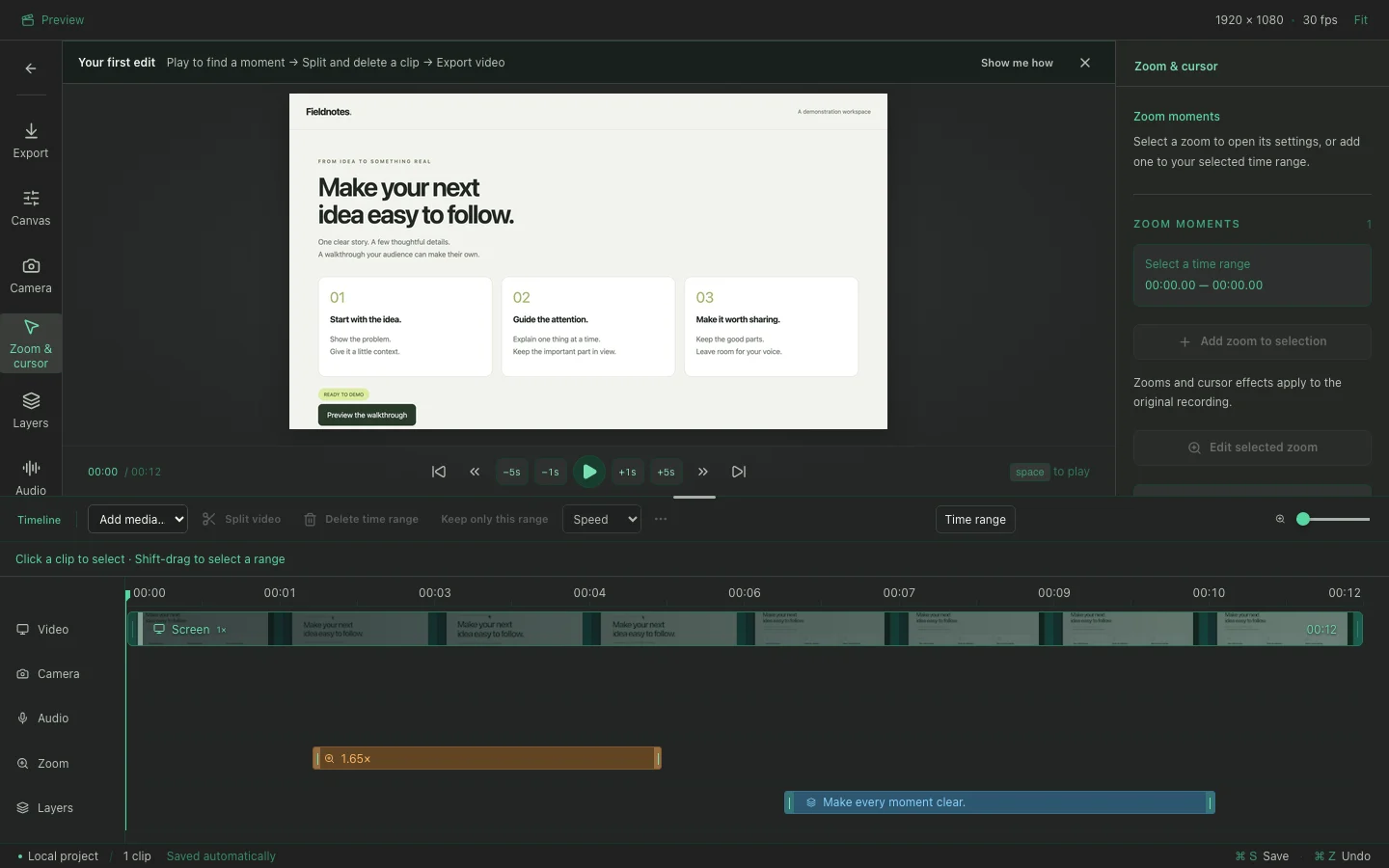
Clicks, drags and typing can become focus moments. Adjust timing, depth, motion and cursor following without baking the effect into your recording.
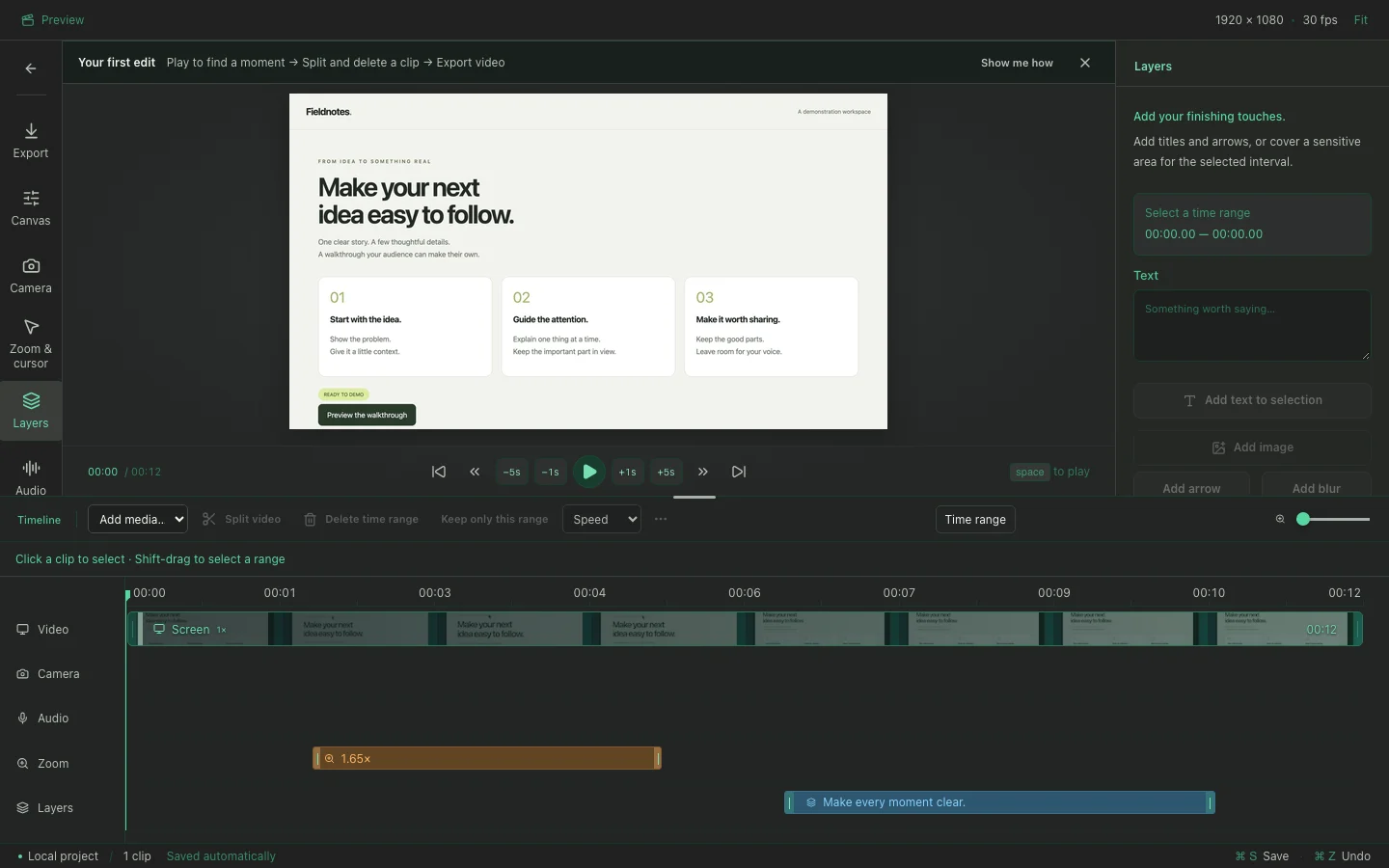
Add text, images, arrows, blur or solid covers. Move layers on the timeline and drag their edges to control exactly when they appear.
FROM FIRST TAKE TO FINAL CUT
Record a screen, window or region with separate camera, microphone and system audio tracks. Mirror your camera, tune its corners and shadow, or let it shrink automatically during zooms.
Select a clip to see its controls. Filmstrips and audio waveforms help you find the moment; separate Zoom and Layers rows keep effects visible. Split, delete, trim or reorder, with actions that name what they change. Undo keeps the original media safe.
Continuous typing holds the zoom steady. Edit zoom settings in a dialog without losing your list position. Change a selected camera clip’s appearance or the video default, with the scope shown beside the controls. Add arrows, blur and covers.
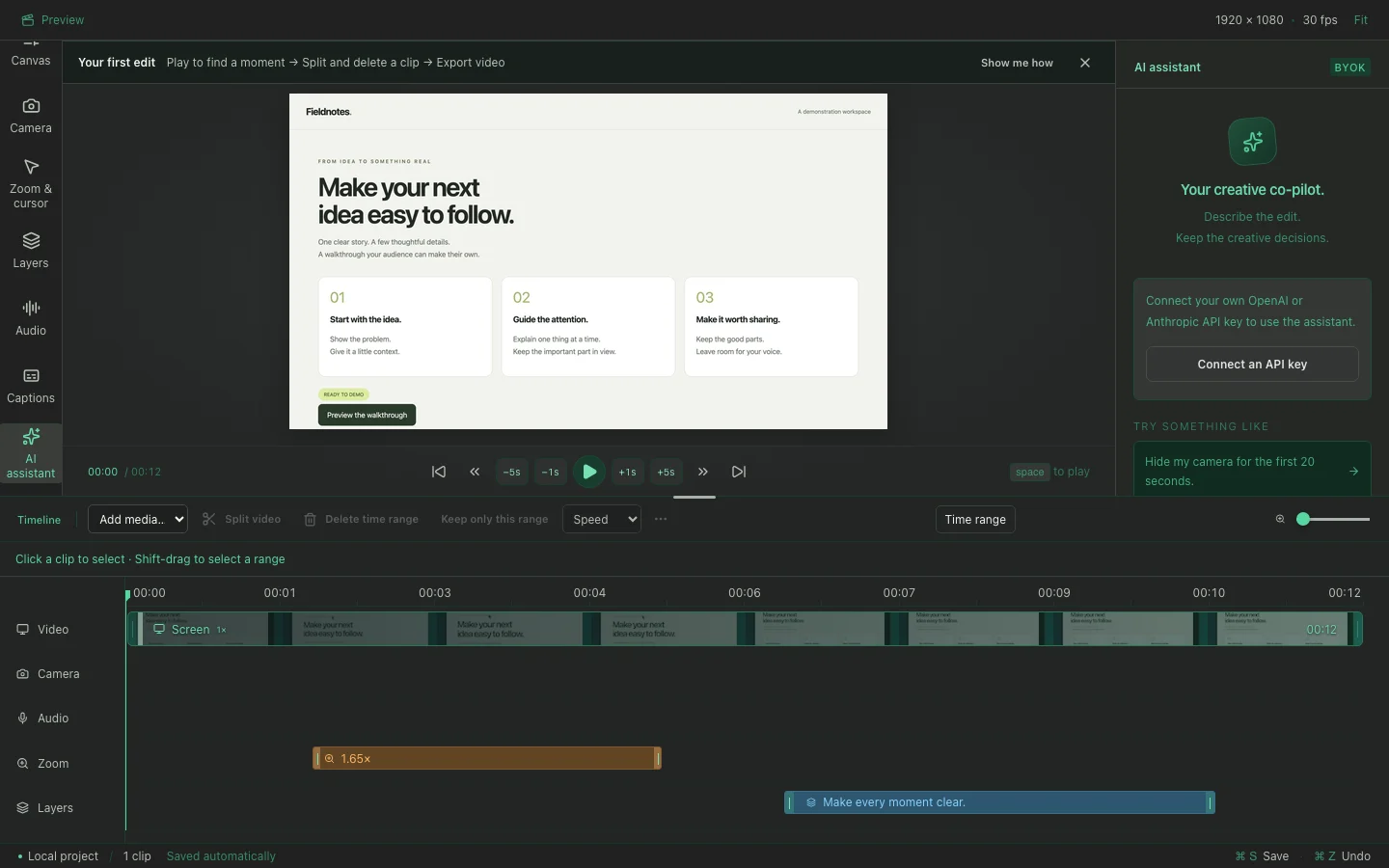
Transcribe Turkish, English and more with local Whisper. Edit through your words and review suggested cuts from your microphone pauses. Silence cleanup requires a recorded microphone track. Audible system audio is protected by default. Bring your OpenAI or Anthropic key for optional editing assistance and YouTube copy.
Choose solid, gradient or image backgrounds. Set the aspect ratio, padding, rounded corners, shadow and browser frame for every destination.
A focused branded opening takes you straight into your local workspace. Start with Record screen or Import video, follow the first-edit guide, and reopen Quick start whenever needed. Automatic saves and portable project folders keep your work ready for the next session.
Export H.264/AAC MP4 up to 4K or a looping GIF up to 60 seconds. Burn in captions or save SRT/VTT. Your project remains editable after export.
AI, WITH A CLEAR JOB
Use the optional in-app assistant with your own OpenAI or Anthropic key, or connect Claude and Codex through the bundled MCP server. The same validated editing commands power both the visual editor and agent workflows.
ONE IDEA. THREE SIMPLE STEPS.
Record screen opens capture setup. Import video opens an existing MP4, MOV or M4V.
Select a clip, split it and remove an unwanted part. Adjust camera or zoom where needed. Your edits save automatically.
Export your video. Share your tutorial, walkthrough or next big idea.
YOUR ASSISTANT. YOUR STUDIO.
Connect Codex, Claude Code or Claude Desktop to the bundled local MCP server. Create projects, control recordings, edit timelines and export through the same validated commands as the app.
Read the MCP setup ↗Add a 1.6× zoom, place a timed title, and export a 1080p MP4.
timeline_apply → preview_frame → export_start
The bundled server exposes the same project, timeline, recording, preview and export operations used by the app. Read an actual Codex tool trace ↗
Recording and editing run on your Mac. Connected AI clients may send requested transcripts and preview frames to their provider.
A FEW GOOD QUESTIONS
Yes. The source is available under the MIT license. There are no artificial project or recording length limits. Available disk space and your Mac determine capacity. Local tools need no API key. Optional cloud providers and connected AI clients use their own billing or plans.
The current download targets Apple silicon Macs running macOS 15 or later. Node.js is included with the app. The public beta is Developer ID signed and Apple notarized.
Recording, editing and Whisper transcription run locally. Model downloads need an internet connection. Optional cloud assistance sends the necessary transcript, edit context and your prompt to the provider you choose. External MCP clients may also send requested transcripts and preview frames to their own provider.
Absolutely. Export produces a separate video. The project retains its original media, camera intervals, effects and captions for future edits.
Screen recording, camera and microphone permissions depend on what you capture. Pointer movement works without Input Monitoring. Enable it for typing activity and precise click detection; typed text and key codes are never stored. macOS manages these permissions in Privacy & Security.
Open an issue on GitHub, suggest an improvement, or emailinfo@serkanuslu.com. Contributions and thoughtful feedback are welcome.
YOUR NEXT GREAT VIDEO STARTS HERE
A small studio for the things you know.
Download for Apple silicon ↓v0.1.2 · macOS 15+ · Public beta
Developer ID signed and Apple notarized public beta for Apple silicon.
Prefer to build it yourself?Get the source.